General Introduction
The B003 and B004 beacon support detecting and advertising the battery level and advertises BLE packages according to a fixed interval. It supports a low battery alert and a panic button.
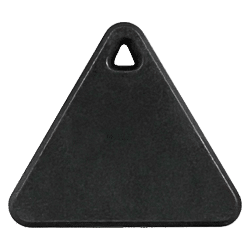
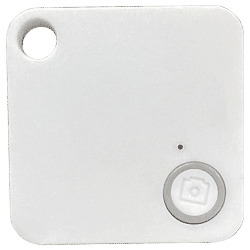
Product Specifications
Table 1: Product Specifications
| Protocol | iBeacon |
| RF Power | 0dBm in default, -20 to +5dBm TX power |
| Distance | Max 80m |
| Density for indoor tracking | >10m |
| Broadcasting | Minimum 100ms |
| Accelerometer | Optional |
| Power consumption | 5μA @ 5s interval and 0dBm TX power |
| Battery | CR2032, 220mAh |
| Weight | 7.7g |
| Dimension | 38mm*38mm*7mm |
| Certification | FCCID: 2APPL-100-0B, CE |
Function Description
On/Off Status
- Turn on: Press the button for 3s and the LED flashes 10 times.
- Turn off: Press the button for 3s, and the LED flashes 3 times quickly.
Low Battery Alert
The beacon checks the voltage every hour. If the battery power is below 20%, the beacon will beep every minute as a warning. To stop the alarm, press the button three times. The alarm will resume after the next voltage check if the battery power is still low.
Panic Button
When the panic button is enabled, the Major field's high bit (binary 1) signifies the panic state. The beacon advertises the status 10 times with the set interval. For example, if the Major is 0x0010 and the Minor is F1BC. Major becomes 0x8010.
0x02 01 06 1A FF 4C 00 02 15 F2 A5 2D 43 E0 AB 48 9C B6 4C 4A 83 00 14 67 20 00 10 F1 BC B3 (panic button not pressed)
0x02 01 06 1A FF 4C 00 02 15 F2 A5 2D 43 E0 AB 48 9C B6 4C 4A 83 00 14 67 20 80 10 F1 BC B3 (panic button pressed)
The panic button is enabled by default. Please get in touch with Lansitec if you do not need it.
TX Power
The signal strength sent by the beacon. The default value 06 (0dBm)
Table 2: TX Power
| Value Type | Value | TX Power (dBm) |
| Hex | 01 | -20 |
| 02 | -16 | |
| 03 | -12 | |
| 04 | -8 | |
| 05 | -4 | |
| 06 | 0 | |
| 07 | 4 |
Advertise Interval
The interval of beacon advertisement is 5s in default, this means that the beacon advertises the advertising packet once every 5s. The maximum Advertisement interval is 10s.
Table 3: Advertise Interval
| Value Type | Value | Interval (ms) |
| Hex | 01000000 | 100 |
| 02000000 | 200 | |
| 03000000 | 300 | |
| 04000000 | 400 | |
| 05000000 | 500 | |
| …… | …… | |
| 64000000 | 10,000 |
Switch Configuration
The B003 and B004 beacon has a switch function "Battery Level Advert". It determines whether the beacon advertises with the battery level.
Table 4: Switch Configuration
| Name | Value | Description |
| Battery Level Advert | 00:Disabled, 01:Enabled, | This configuration determines whether the beacon advertises the battery level. The default value is 0. |
Advertising Feature
Standard Advertising Packet
The beacon advertises a standard advertising packet when the battery level feature is not enabled.
Table 5. Standard iBeacon Advertising Packet
| Byte Offset | Default Value | Description | Properties |
| 0 | 0x02 | Data length – 2 bytes | Constant Preamble |
| 1 | 0x01 | Data type – flags | Constant Preamble |
| 2 | 0x06 | LE and BR/EDR flag | Constant preamble |
| 3 | 0x1A | Data length – 26 bytes | Constant preamble |
| 4 | 0xFF | Data type – Manufacturer specific data | Constant preamble |
| 5 | 0x4C | Manufacturer data | Constant preamble |
| 6 | 0x00 | Manufacturer data | Constant preamble |
| 7 | 0x02 | Manufacturer data | Constant preamble |
| 8 | 0x15 | Manufacturer data | Constant preamble |
| 9 | 0xF2 | Proximity UUID 1st byte | User UUID |
| 10 | 0xA5 | Proximity UUID 2nd byte | User UUID |
| 11 | 0x2D | Proximity UUID 3rd byte | User UUID |
| 12 | 0x43 | Proximity UUID 4th byte | User UUID |
| 13 | 0xE0 | Proximity UUID 5th byte | User UUID |
| 14 | 0xAB | Proximity UUID 6th byte | User UUID |
| 15 | 0x48 | Proximity UUID 7th byte | User UUID |
| 16 | 0x9C | Proximity UUID 8th byte | User UUID |
| 17 | 0xB6 | Proximity UUID 9th byte | User UUID |
| 18 | 0x4C | Proximity UUID 10th byte | User UUID |
| 19 | 0x4A | Proximity UUID 11th byte | User UUID |
| 20 | 0x83 | Proximity UUID 12th byte | User UUID |
| 21 | 0x00 | Proximity UUID 13th byte | User UUID |
| 22 | 0x14 | Proximity UUID 14th byte | User UUID |
| 23 | 0x67 | Proximity UUID 15th byte | User UUID |
| 24 | 0x20 | Proximity UUID 16th byte | User UUID |
| 25 | AA | Major 1st byte | Major value |
| 26 | BB | Major 2nd byte | Major value |
| 27 | CC | Minor 1st byte | Minor value |
| 28 | CC | Minor 2nd byte | Minor value |
| 29 | 0xB3 | Signal power (Calibrated SSI@1m) | Signal power value |
Advertising Package with Battery Level
The beacon also supports advertising battery-level information in the last byte. Chapter 5.2 Battery Level Advert Configuration explains how to enable this feature via "LightBlue".
Table 6: Advertising Packet with Battery Level
| Byte Offset | Default Value | Description | Properties |
| 0 | 0x02 | Data length – 2 bytes | Constant Preamble |
| 1 | 0x01 | Data type – flags | Constant Preamble |
| 2 | 0x06 | LE and BR/EDR flag | Constant preamble |
| 3 | 0x1B | Data length – 27 bytes | Constant preamble |
| 4 | 0xFF | Data type - Manufacturer specific data | Constant preamble |
| 5 | 0x4C | Manufacturer data | Constant preamble |
| 6 | 0x00 | Manufacturer data | Constant preamble |
| 7 | 0x02 | Manufacturer data | Constant preamble |
| 8 | 0x15 | Manufacturer data | Constant preamble |
| 9 | 0xF2 | Proximity UUID 1st byte | User UUID |
| 10 | 0xA5 | Proximity UUID 2nd byte | User UUID |
| 11 | 0x2D | Proximity UUID 3rd byte | User UUID |
| 12 | 0x43 | Proximity UUID 4th byte | User UUID |
| 13 | 0xE0 | Proximity UUID 5th byte | User UUID |
| 14 | 0xAB | Proximity UUID 6th byte | User UUID |
| 15 | 0x48 | Proximity UUID 7th byte | User UUID |
| 16 | 0x9C | Proximity UUID 8th byte | User UUID |
| 17 | 0xB6 | Proximity UUID 9th byte | User UUID |
| 18 | 0x4C | Proximity UUID 10th byte | User UUID |
| 19 | 0x4A | Proximity UUID 11th byte | User UUID |
| 20 | 0x83 | Proximity UUID 12th byte | User UUID |
| 21 | 0x00 | Proximity UUID 13th byte | User UUID |
| 22 | 0x14 | Proximity UUID 14th byte | User UUID |
| 23 | 0x67 | Proximity UUID 15th byte | User UUID |
| 24 | 0x20 | Proximity UUID 16th byte | User UUID |
| 25 | AA | Major 1st byte | Major value |
| 26 | BB | Major 2nd byte | Major value |
| 27 | CC | Minor 1st byte | Minor value |
| 28 | CC | Minor 2nd byte | Minor value |
| 29 | 0xB3 | Signal power (Calibrated SSI@1m) | Signal power value |
| 30 | Battery level | Battery level | Battery level |
Configuring Lansitec BLE Beacon with an iPhone
Notice: all parameters are in hexadecimal coding.
Step 1: Search and download "LightBlue" in the App Store.

Step 2: Long press the button to turn the B003 and B004 beacon label. A red LED flashes 10 times.
Step 3: Open LightBlue and click a beacon with the name "LS_Beacon_V96" which will show up in the app. An enter password is required when connecting this beacon, otherwise you can only view the configuration and cannot modify it.

Step 3: Enter the password: 116321.
Major Configuration


- Click "Major" (step 1).
- Click "Write new value" (step 2).
- Enter a new value (step 3) and click "Done" (step 4) to save, and click "0xFFF6" (step 5) to return to the "Major" page.
- The new value is shown in the value block (step 6) of the "Major" page, and the previous value is grey. Click the "LS_Beacon_V96" (step 7) to return to the previous page.
- Click "Back" (step 8) to exit the configuration. Otherwise, the change will NOT be saved.
Configure "UUID", "Minor", "Interval", and "TX_power" in the same way. Please exit LightBlue after configuration. The light stops flashing after configuration.
Battery Level Advert Configuration


- Click "Battery Level Advert" (step 1).
- Click "Write new value" (step 2).
- Enter the value "00," which means disable the battery level advertising function, and "01," which means enable this function (step 3). Click "Done" (step 4) to save and click "0xFF0D" (step 5) to return to the "Battery Level Advert" page.
- The new value is shown in the value block (step 6) of the "Battery Level Advert" page, and the previous value is grey.
- Click the " LS_Beacon_V96" (step 7) to return to the previous page. Then, exit the configuration. Otherwise, the change will NOT be saved.
We can also preprogram the "UUID", "Major", "Minor", "Interval", "TX_power", and "Battery Level Advert" for you and print it on housing before shipment.
Battery Life
Table 7: Battery Life (with the Acceleration Sensor)
| Broadcast Interval (ms) | 100 | 500 | 1000 | 5000 |
| Average Current (μA) | 154 | 33.8 | 17 | 5 |
| Battery Life (Month) | 1.5 | 7 | 14 | 48 |
Table 8: Battery Life (without the Acceleration Sensor)
| Broadcast Interval (ms) | 100 | 500 | 1000 | 5000 |
| Average Current (μA) | 153 | 33 | 16 | 4.2 |
| Battery Life (Month) | 1.5 | 7 | 15 | 58 |
Note:
Regarding accuracy, several factors influence the accuracy of distance measurements with BLE RSSI.
- Shadow effect: Signals can be reflected by walls and glasses many times during transmission. Diffraction changes the signal path, Which results in receiving unstable signal strength.
- There are many devices on 2.4G, Wi-Fi, Bluetooth, and Zigbee. The signal may overlap, making the received signal strength unstable.
- Due to the semiconductor manufacturing limitation, TX power is not stable.
When using a beacon for positioning, please consider the following method for measuring the distance.
- While the beacon is advertising, repeatedly sample the RSSI at a 1-meter distance for a minimum of 10 seconds.
- Discard the highest 10% of the RSSI samples.
- Discard the lowest 20% of the RSSI samples.
- Average the remaining samples to obtain the Measured Power value.
We recommend another two algorithms for calculating the distance and position:
- Moving average algorithm, Lansitec document number 930-00171.
- Position Calibration, Lansitec document number 930-00172.
How to Install a B003 & B004 Bluetooth Beacon

How to Replace the Batteries B003 & B004 Bluetooth Beacon

Packaging
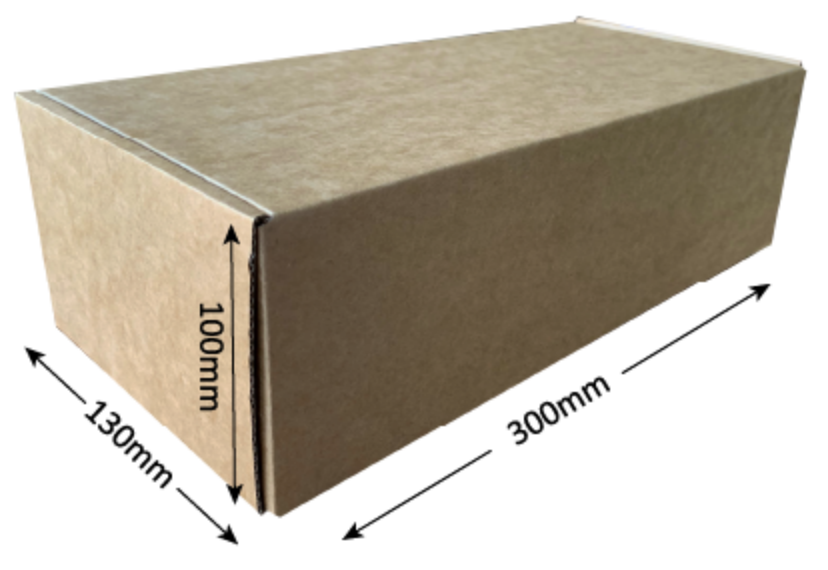
Batch packaging
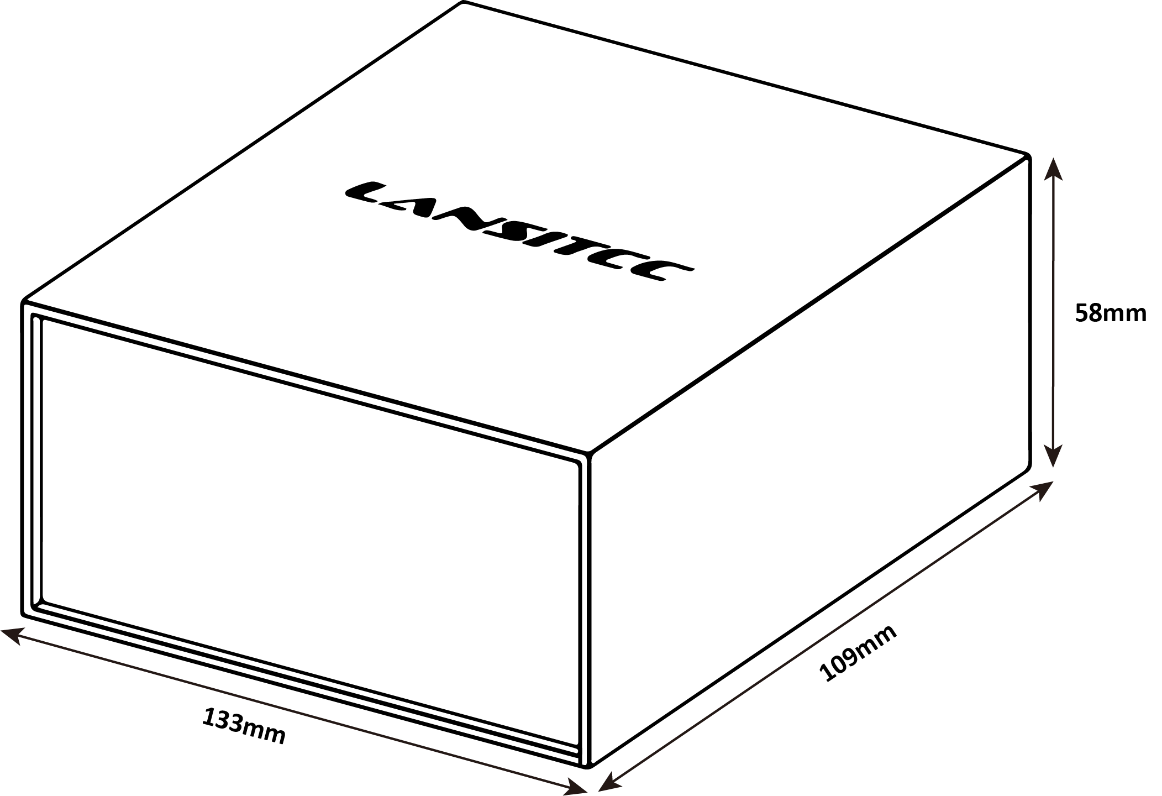
Sample packaging
Ordering Information
| Description | PN |
| B003 Bluetooth tag, 37mm side length, 230mAh | 100-0B003 |
| B004 Bluetooth tag, 38*38*7mm, 230mAh | 100-0B004 |