
La mayoría de las comparaciones de gateways BLE comienzan con filas ordenadas: alcance, ancho de banda, potencia y coste.
Pero las implementaciones en campo rara vez fallan porque alguien malinterpretó una tabla del folleto. Fallan porque la puerta de enlace realiza escaneos con demasiada frecuencia. O porque una pequeña carga útil BLE se convirtió en 15 registros de baliza por enlace ascendente. O porque la señal celular se veía bien en un teléfono, pero luego colapsó dentro de una carcasa metálica. O porque el cliente esperaba alarmas en tiempo real de un perfil de energía diseñado para una medición lenta.
Esa es la forma más útil de comparar el backhaul de la puerta de enlace BLE. La pregunta que hay que hacerse, en lugar de "¿qué radio es la mejor?", es: ¿Qué ruta de backhaul falla menos gravemente cuando el sitio se vuelve problemático?
En Lansitec, esta pregunta importa porque Pasarelas Bluetooth se sitúan en la intersección desordenada de la recopilación BLE local y la conectividad de área amplia. Un beacon BLE puede anunciar UUID, mayor, menor, RSSI, datos de sensores, eventos de pánico, temperatura, movimiento y más. La puerta de enlace debe entonces decidir qué reenviar, con qué frecuencia y por qué red transportarlo.
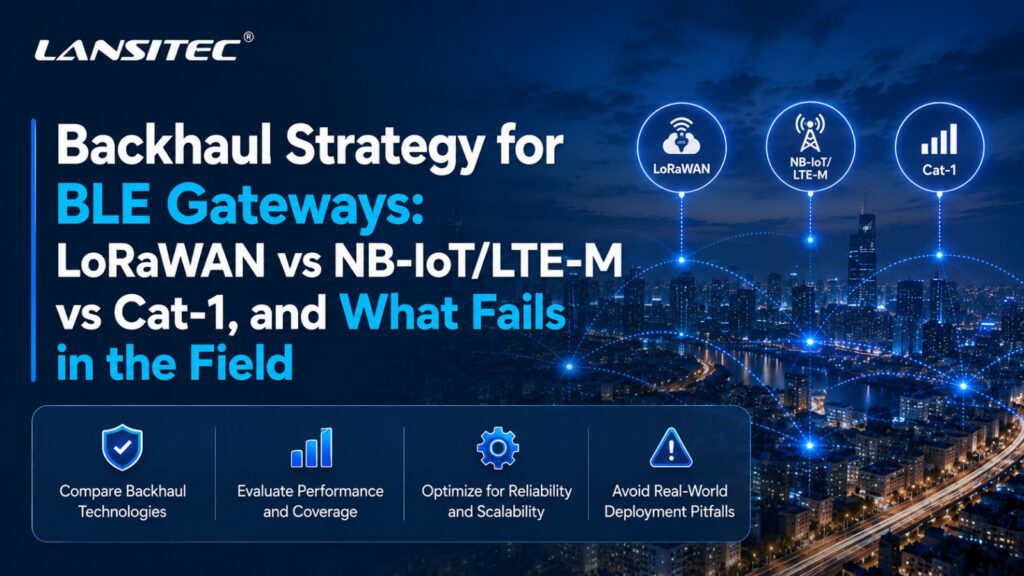
Lansitec ofrece soporte para esto a través de varias familias de enlaces de retorno: LoRaWAN, NB-IoT/LTE-M y Cat-1. La elección correcta depende menos de la teoría de la radio y más de la realidad de la instalación.
Hablemos de lo que realmente se rompe.
En primer lugar, ¿qué hace realmente la puerta de enlace BLE?
En un despliegue al estilo B-Mobile, Balizas Bluetooth están adheridos a bienes o usados por personas. Puerta de enlace Bluetooth Se ubica en una ubicación fija, recibe los mensajes de baliza cercanos, reestructura los datos y los reenvía a través de una red de retorno al servidor o aplicación. En Lansitec LoRaWAN Arquitectura B-Mobile, eso significa BLE a puerta de enlace, puerta de enlace a LoRaWAN puerta de enlace, y luego a través de 4G o Ethernet al servidor de red y la aplicación.
En la versión NB-IoT/LTE-M, la puerta de enlace omite la conexión local. LoRaWAN La infraestructura se conecta a ella y reenvía los datos BLE reestructurados directamente a través de la red celular del operador a un servidor MQTT o HTTP.
La puerta de enlace debe equilibrar cinco cosas:
- Ventana de escaneo BLE
- intervalo de informe de retorno
- Tamaño de la carga útil
- Presupuesto de energía
- recuperación tras interrupción del servicio
Si se comete un error, el sistema aún podría funcionar en la demostración. Simplemente se vuelve costoso, lento, ruidoso o requiere mucho mantenimiento después de su implementación.
Modo de fallo 1: El presupuesto de energía se calculó para la radio, no para el trabajo.
La alimentación del enlace de retorno no depende únicamente del módulo de radio.
Este es el ritmo constante de la puerta de enlace: se activa, escanea la red BLE, filtra los datos, transmite, espera la confirmación cuando corresponda, vuelve a intentarlo si es necesario y vuelve a entrar en modo de reposo. Una puerta de enlace que escanea continuamente e informa con frecuencia realiza dos tareas costosas a la vez.
Ahí es donde muchos proyectos fracasan.
LoRaWAN: funciona bien cuando los informes son pequeños y disciplinados.
LoRaWAN es famoso por su frugalidad, pero solo cuando se respeta el modelo de carga útil y tiempo de transmisión. Funciona bien cuando la puerta de enlace envía eventos compactos: ID de baliza, RSSI, ID de puerta de enlace, marca de tiempo y bytes del sensor seleccionado.
De Lansitec LoRaWAN Macro Puerta de enlace Bluetooth es un buen ejemplo de la filosofía de diseño que prioriza la batería. Utiliza dos baterías Li-SoCl2 de 19.000 mAh y enumera 83 meses de funcionamiento con un intervalo de informes de 5 minutos.. La misma familia de productos admite el filtrado de carga útil Bluetooth configurable, por lo que la puerta de enlace no necesita reenviar cada byte que recibe.
Ese es el punto. LoRaWAN El sistema funciona mejor cuando se comporta como un sistema de informes de eventos, y no como un sistema de transmisión de paquetes BLE sin procesar.
NB-IoT/LTE-M: baja potencia, pero el comportamiento del operador importa.
NB-IoT y LTE-M están diseñados para el IoT celular, pero no se comportan de la misma manera.
NB-IoT es ideal para dispositivos estáticos, cargas útiles pequeñas, largos periodos de inactividad y cobertura profunda en interiores. LTE-M es mejor cuando el dispositivo está en movimiento, requiere un enlace descendente más rápido o debe admitir actualizaciones de firmware prácticas. La guía de GSMA sobre IoT móvil posiciona a NB-IoT y LTE-M como tecnologías LPWA complementarias, siendo LTE-M generalmente más adecuada para la movilidad y casos de uso más interactivos, mientras que NB-IoT se usa típicamente para mensajes pequeños, poco frecuentes y de cobertura profunda. (1)
El problema es que la potencia celular se ve muy afectada por la calidad de la señal. Un router con poca cobertura puede consumir más energía al conectarse, reintentar la conexión o mantener el módem activo. En teoría, el modelo de batería parece adecuado. En la práctica, no lo es.
Hemos visto a clientes asumir que la telefonía celular equivale a previsibilidad. No es así. Equivale a conectividad con espectro licenciado y respaldada por un operador, lo cual es diferente.
Cat-1: no es LPWAN, pero a veces es operativamente más limpio.
La categoría 1 no es la opción de menor potencia. Seamos honestos al respecto.
Pero ofrece una ventaja diferente: se comporta de forma más similar al LTE convencional. Proporciona mayor capacidad de transmisión de datos, menor latencia, comunicación IP más sencilla y flujos de trabajo de firmware o configuración más flexibles. Quectel posiciona a LTE Cat-1 bis como un punto intermedio entre LPWA y las categorías superiores de LTE, con mayor movilidad, menor latencia y mayor ancho de banda que NB-IoT/LTE-M, evitando al mismo tiempo la complejidad de los módulos LTE de categoría superior. (2)
Para BLE puertas de enlace, eso puede ser útil. No porque Cat-1 sea mágicamente eficiente, sino porque una sesión corta y exitosa puede ser mejor que una lenta y frágil cuando la aplicación está muy activa.
De Lansitec Puerta de enlace Bluetooth macro Cat-1 muestra cómo se ve esto en un producto de puerta de enlace: enlace troncal Cat-1, filtrado BLE, compresión de datos Bluetooth y una lista Duración de la batería de 5 años a 5 s Recepción Bluetooth duración y intervalo de informe de 240 s.
Esa cifra solo tiene sentido porque la puerta de enlace no trata la conexión Cat-1 como una conexión continua. Sigue utilizando disciplina de ciclo de trabajo, filtrado e informes.
Regla de campo
- Si la puerta de enlace realiza escaneos constantemente, informe con moderación.
- Si informa con frecuencia, analice de forma inteligente.
- Si realiza ambas acciones de forma agresiva, la batería se convierte en objeto de mantenimiento programado.
Modo de fallo 2: La cobertura se trató como un mapa, no como un comportamiento del sitio.
Los mapas de cobertura son reconfortantes. Los edificios no.
Un teléfono que muestra barras de señal no es un estudio de cobertura celular. LoRaWAN La afirmación de alcance no es una LoRaWAN Estudio del sitio. BLE “150 m de línea de visión” no significa 150 m a través de estanterías, hormigón, paredes húmedas, maquinaria, personas y camiones estacionados.
La decisión sobre el transporte de retorno se hace realidad en tres lugares: sótanos, muelles de carga y cuartos metálicos.
La cobertura de LoRaWAN es controlable, pero hay que planificarla.
La gran ventaja de LoRaWAN es el control. Si el cliente es el propietario del sitio, puede colocar el LoRaWAN Ubique la puerta de enlace donde corresponde, optimice la implementación y mantenga bajos los costos recurrentes de la red.
Eso funciona de maravilla en fábricas, almacenes, campus y estacionamientos. Una implementación de Lansitec B-Mobile LoRa puede utilizar Pasarelas Bluetooth en el área de trabajo, luego envíen sus informes BLE a través de un LoRaWAN Puerta de enlace conectada por 4G o Ethernet.
La guía de implementación de Lansitec recomienda colocar el LoRaWAN puerta de acceso en la parte superior de un edificio siempre que sea posible, o en una posición elevada en el interior para una sola fábrica. También señala que la LoRaWAN El propio router requiere conexión 4G o Ethernet, y se recomienda comenzar los proyectos 4G con un plan de datos de 2 GB, ya que el uso de la tarjeta SIM varía según el proyecto.
Una implementación de puerta de enlace LoRaWAN BLE todavía tiene dos capas de red:
| Capa | ¿Qué puede fallar? |
| BLE a Puerta de enlace Bluetooth | Paredes, habitaciones, RSSI sangrado, sincronización del escaneo |
| Puerta de enlace Bluetooth a LoRaWAN puerta | Cobertura LoRa, factor de dispersión, capacidad, ubicación de la puerta de enlace |
| LoRaWAN puerta de enlace a la nube | Interrupción de Ethernet, interrupción de 4G, plan SIM, ruta del servidor de red |
La cobertura NB-IoT/LTE-M es más sencilla de implementar, pero más difícil de controlar.
NB-IoT/LTE-M elimina la propiedad del sitio LoRaWAN puerta de entrada. Eso es atractivo. No. LoRaWAN Planificación de acceso. No hay local LoRaWAN Decisión del servidor. Ningún cliente preguntó dónde montar la antena.
La contrapartida es la dependencia.
Si el operador cuenta con una buena cobertura NB-IoT o LTE-M en la ubicación exacta de la puerta de enlace, perfecto. De lo contrario, las opciones son más limitadas. Puedes mejorar la ubicación de la antena, seleccionar un perfil de SIM más adecuado, usar estrategias eSIM/eUICC o cambiar de operador. Sin embargo, no tienes control sobre la estación base.
NB-IoT también tiende a ser una mala opción para dispositivos en movimiento o interacciones rápidas. La propia Lansitec LoRaWAN La comparación entre NB-IoT y NB-IoT señala que NB-IoT no es apropiado para dispositivos en movimiento, mientras que LoRaWAN Admite movilidad y velocidades de datos adaptativas.
La cobertura de categoría 1 es amplia, pero la potencia y el coste deben ser intencionados.
La tecnología Cat-1 aprovecha la infraestructura LTE ya consolidada. Esto suele facilitar las implementaciones mixtas o temporales, especialmente donde la disponibilidad de LTE-M o NB-IoT es irregular.
También es más compatible con flujos de trabajo MQTT, HTTP(S), TCP y UDP. En un edificio donde el equipo de TI no proporciona acceso Ethernet, o donde no se permite Wi-Fi para dispositivos IoT, el cable Cat-1 puede ser la solución práctica.
La pregunta de campo no es "¿se conecta Cat-1?". Generalmente sí. La pregunta es: ¿Puede el proyecto permitirse el consumo de energía y datos que fomenta la categoría 1? Si la respuesta es sí, es una opción sólida.
Modo de fallo 3: Se ignoraron las restricciones de carga útil hasta que el panel de control pareció vacío.
BLE puede generar una gran cantidad de datos locales.
Una puerta de enlace puede escuchar docenas de balizas. Cada baliza puede anunciar múltiples identificadores o campos de sensores. El equipo de la aplicación pregunta entonces: "¿Podemos simplemente reenviar todo?".“
Normalmente, no.
O al menos, no si el enlace de retorno es LoRaWAN y el proyecto prevé una larga duración de la batería.
LoRaWAN El tamaño de la carga útil depende de la región y la velocidad de datos. En la banda EU863-870, la documentación de The Things Network indica tamaños máximos de carga útil de las aplicaciones de 51 bytes en DR0 a DR2, 115 bytes en DR3 y 222 bytes en DR4 a DR7. También menciona la recomendación del ciclo de trabajo 1% en la banda europea. (3)
LoRa Alliance mantiene estas restricciones regionales separadas del núcleo. LoRaWAN Especificación, con RP002-1.0.5 publicada el 8 de octubre de 2025. (4)
Por eso es importante el filtrado.
De Lansitec LoRaWAN Pasarelas Bluetooth Incluye repetidamente filtrado de datos Bluetooth configurable e informes de carga útil. La puerta de enlace puede filtrar bytes de datos específicos de una carga útil BLE y reenviar solo la información útil a través de LoRaWAN. El sistema solar y macroscópico LoRaWAN Puerta de enlace Bluetooth Las especificaciones también se enumeran 105 máximo balizas apoyado y un máximo de 15 mensajes de baliza en uno LoRaWAN paquete en SF9.
Una estrategia de backhaul de puerta de enlace BLE debe definir niveles de carga útil:
| Nivel de carga útil | Contenido de ejemplo | Mejor ajuste para el transporte de retorno |
|---|---|---|
| Presencia mínima | ID de baliza, ID de puerta de enlace, RSSI | LoRaWAN, NB-IoT |
| Sensor Event Plus | ID de baliza, RSSI, temperatura, movimiento, bit de alarma | LoRaWAN con filtrado, LTE-M |
| Informe de puerta de enlace enriquecida | Múltiples registros de balizas, diagnósticos, batería, marcas de tiempo | LTE-M, Cat-1 |
| Carga útil de mantenimiento | Registros, fragmentos de firmware, diagnósticos extendidos | LTE-M, Cat-1 |
El peor diseño es uno vago: "Enviar datos de baliza".“
¿Qué datos de baliza? ¿Cada paquete? ¿Cada ID único por intervalo? Cada RSSI ¿Muestra? Promedio RSSI¿Primera vez visto y última vez visto? Los 3 más fuertes balizas¿Solo eventos de alarma?
Esas decisiones lo determinan todo, y deberían tomarse antes de la instalación.
Modo de fallo 4: El comportamiento de interrupción no fue diseñado, solo se esperaba.
Todas las redes fallan. Lo interesante es cómo fallan.
Interrupciones de LoRaWAN
En un LoRaWAN Arquitectura de puerta de enlace BLE, la recopilación local de BLE aún puede ocurrir incluso si la LoRaWAN El enlace de retorno a Internet de la puerta de enlace presenta problemas. Sin embargo, es posible que la aplicación no reciba datos actualizados hasta que se restablezca la conexión con la puerta de enlace.
Si el problema es LoRa RF, mover el LoRaWAN La puerta de enlace o mejorar la ubicación de la antena puede ayudar. Si el problema es el LoRaWAN primero el enlace 4G de la puerta de enlace y luego el BLE. puertas de enlace Puede que funcione bien, y el cuello de botella está en el enlace entre la puerta de enlace y la nube.
Esa distinción es importante. Sin diagnósticos, en ambos casos parece que la puerta de enlace está fuera de línea.
Interrupciones de NB-IoT/LTE-M
Las interrupciones en NB-IoT y LTE-M suelen deberse a problemas en la señal, en el operador, en la tarjeta SIM o en el perfil de potencia.
NB-IoT puede ser muy útil para informes con baja latencia. Sin embargo, resulta menos conveniente cuando la aplicación requiere una respuesta inmediata en la descarga. LTE-M suele ser la opción celular LPWA más segura para activos móviles, alarmas y actualizaciones de firmware, ya que ofrece mayor movilidad y una respuesta más rápida en la descarga. (1)
Interrupciones de categoría 1
La recuperación de Cat-1 suele ser más similar a la de LTE/IP. Esto resulta útil cuando la puerta de enlace necesita cargar lotes almacenados en búfer, reconectar MQTT o recibir cambios de configuración rápidamente.
Pero también puede crear un grave problema de comportamiento gregario.
Imagina 300 puertas de enlace Tras un corte de energía en el sitio, se restablece la alimentación. Cada puerta de enlace se activa, se conecta, se reconecta, verifica la configuración, carga los datos pendientes y solicita la sincronización horaria. Si el firmware no utiliza un mecanismo de retroceso aleatorio, la recuperación se convierte en una segunda interrupción del servicio.
Regla de campo
Diseñar el comportamiento ante interrupciones del servicio antes de que se produzca la interrupción.
Una puerta de enlace BLE útil debería saber cómo:
- Almacenar localmente los eventos seleccionados
- Reintentar con retroceso, no entrar en pánico.
- Explica por qué tuvo problemas, no solo que tuvo problemas.
- Evite activar todos los dispositivos al mismo tiempo después de recuperar la energía.
¿Qué tipo de enlace de retorno se adapta mejor a cada implementación?
Ahora podemos hacer la comparación sin pretender que todos los proyectos son iguales.
1. Solo con batería. Para interiores.
Mejor ajuste: LoRaWAN Macro o Micro Puerta de enlace Bluetooth
Posible ajuste: Puerta de enlace macro NB-IoT/LTE-M, si se demuestra la cobertura del operador.
Utilice la categoría 1 cuando: Las cargas útiles son más ricas, el enlace descendente importa o el intervalo de informes no es ultra agresivo.
Las implementaciones en interiores que solo utilizan baterías son muy exigentes, ya que los técnicos detestan cambiar las baterías de los gateways en interiores casi tanto como en exteriores. Los soportes de techo, las columnas de los almacenes, las salas restringidas y las áreas de producción complican aún más la situación.
LoRaWAN es la primera opción natural si el sitio puede soportar un sistema privado o administrado LoRaWAN Puerta de enlace. Macro de Lansitec Puerta de enlace Bluetooth Está diseñado para uso en interiores o semi-exteriores donde no hay alimentación externa disponible, con una batería de 38,000 mAh, carcasa IP66, intervalos ajustables y Filtrado de carga útil BLE.
NB-IoT/LTE-M tiene sentido cuando el cliente no quiere LoRaWAN infraestructura. Pero no la elijas basándote en un mapa de cobertura. Prueba la ubicación real de la puerta de enlace, especialmente si el dispositivo se encuentra cerca de ascensores, estanterías metálicas, paredes reforzadas, áreas subterráneas o salas eléctricas.
La tecnología Cat-1 puede funcionar, especialmente con baterías grandes y una frecuencia de transmisión moderada. Sin embargo, si el caso de uso solo requiere la función "última conexión en la habitación A", probablemente Cat-1 sea más potente de lo necesario.
Nuestra opinión: Para presencia en interiores solo con batería, comience con LoRaWAN a menos que la propiedad del sitio o la cobertura del operador te obliguen a ir a otro lugar.
2. Energía solar exterior
Mejor ajuste: LoRaWAN Solar Puerta de enlace Bluetooth para sitios privados
Posible ajuste: NB-IoT/LTE-M o Puerta de enlace Bluetooth solar Cat-1 donde la cobertura celular es estable
Riesgo principal: autonomía en días lluviosos más comportamiento de reintento
La instalación de paneles solares en exteriores parece sencilla hasta que cambia el tiempo.
De Lansitec LoRaWAN Solar Puerta de enlace Bluetooth utiliza un Panel solar de 3 W y un Batería recargable de 5300 mAh. El catálogo de productos enumera un mes de días lluviosos continuos con recepción continua Bluetooth y una duración de 60 segundos. LoRaWAN intervalo de informe. También admite filtrado de carga útil Bluetooth, TDMA y compresión de datos.
Tiene un gran potencial para actividades al aire libre.
Sin embargo, las implementaciones solares fallan cuando los equipos sobreestiman el tiempo de recuperación. Un dispositivo puede sobrevivir varios días nublados, pero si además intenta conectarse de forma agresiva a través de una cobertura deficiente, informa con demasiada frecuencia o escucha continuamente cuando no es necesario, el margen de seguridad se reduce.
Energía solar celular puertas de enlace son útiles cuando LoRaWAN La infraestructura no está disponible. La categoría 1 puede ser especialmente conveniente para terrenos remotos, almacenes al aire libre, patios de equipos y sitios temporales donde un cliente desea conectividad directa a la nube.
Nuestra opinión: La instalación de paneles solares en exteriores no se trata solo del tamaño de los paneles. Se trata de mantener una conducta disciplinada después de condiciones climáticas adversas.
3. Edificio con suministro eléctrico permanente
Mejor ajuste: LoRaWAN Interior, SocketSync, NB-IoT/LTE-M Interior o Cat-1 Compact, según el acceso de TI.
Riesgo principal: No es poder, sino política de redes.
Los edificios con suministro eléctrico ininterrumpido cambian la decisión.
Si hay energía disponible, la conversación sobre el enlace de retorno pasa de la duración de la batería a la fricción de la implementación. ¿Puede usar Ethernet? ¿Está permitido Wi-Fi? ¿El equipo de TI aprobará el MQTT saliente? ¿Puede colocar un LoRaWAN ¿Puerta de enlace en el tejado? ¿Son las tarjetas SIM más fáciles que los tickets VLAN?
En espacios interiores con suministro eléctrico, LoRaWAN sigue siendo atractivo cuando el sitio puede admitir una puerta de enlace local. LoRaWAN Puerta de enlace Bluetooth para interiores admite alimentación de 5V/1A y puede recibir 100 mensajes de baliza en 1 segundo, con un máximo de 15 mensajes de baliza enviados en un solo paquete.
NB-IoT/LTE-M o Cat-1 pueden ser más seguros cuando la red del edificio está cerrada. Los hospitales, centros comerciales, centros logísticos y grupos minoristas suelen preferir la tecnología celular simplemente porque evita las aprobaciones de red internas.
Nuestra opinión: En edificios con suministro eléctrico, elija la conexión de retorno que el cliente pueda mantener realmente, no la que parezca más barata en cuanto a hardware.
4. Eventos temporales, flotas de alquiler y emplazamientos efímeros
Mejor ajuste: Cat-1 Compact o NB-IoT/LTE-M Compact
Posible ajuste: LoRaWAN Compacto si LoRaWAN La cobertura ya existe.
Riesgo principal: Tiempo de configuración y comportamiento de recuperación
Los despliegues temporales penalizan las decisiones que requieren mucha infraestructura.
Si un cliente necesita cobertura BLE para un evento de fin de semana, una zona de alquiler, un almacén temporal, una feria comercial o una estación médica provisional, la conexión celular directa suele ser la mejor opción. La conexión Cat-1 es especialmente útil cuando la puerta de enlace necesita conectarse rápidamente, enviar datos más completos y admitir flujos de trabajo IP habituales.
LoRaWAN Compact aún puede ser la mejor opción si el sitio ya tiene LoRaWAN cobertura. Si no, desplegar una LoRaWAN Puede que sea excesivo crear una plataforma de acceso únicamente para dar soporte a un evento de dos días.
Nuestra opinión: Para emplazamientos temporales, priorice la certeza de la configuración. Un coste de datos ligeramente superior suele ser más económico que una segunda visita al emplazamiento.
Una matriz de selección práctica
| Escenario de despliegue | LoRaWAN | NB-IoT/LTE-M | Gato 1 |
| Interior con batería únicamente | Ajuste más fuerte cuando LoRaWAN La infraestructura es posible | Es bueno si se prueba la cobertura y las cargas útiles son pequeñas. | Úselo con precaución, mejor con una batería más grande o con una frecuencia de actualización moderada. |
| Energía solar exterior | Excelente para terrenos privados y con bajos costos recurrentes. | Bueno donde la cobertura celular es confiable | Ideal para cargas útiles más completas y conectividad directa con la nube. |
| Edificio con suministro eléctrico permanente | Fuerte si LoRaWAN Se permite la colocación de la puerta de enlace. | Útil si el acceso a la red del edificio está bloqueado. | Fuerte si el comportamiento IP, MQTT/HTTP(S) y la capacidad de respuesta son importantes. |
| Puerta de entrada móvil | Depende de LoRaWAN diseño de cobertura | LTE-M es mejor que NB-IoT. | Ajuste fuerte |
| Alto volumen de carga útil | Necesita filtrado y compresión | Mejor que LoRaWAN, aún dependiente del perfil | Ajuste más fuerte |
| Actualizaciones de firmware | Funciona para BLE del lado de la puerta de enlace FOTA flujos de trabajo, pero la estrategia de carga útil importa. | LTE-M es mejor que NB-IoT. | El más fácil de los tres |
| Coste de conectividad recurrente más bajo | A menudo más fuerte | Costo de la tarjeta SIM requerido | Costo de la tarjeta SIM y plan de datos requerido |
Lo que registraríamos antes de culpar a la radio.
He aquí una lección aprendida a base de esfuerzo: estar "desconectado" no es un diagnóstico.
Una puerta de enlace puede fallar debido al escaneo BLE, el empaquetado de la carga útil, la calidad de la señal, el tiempo de conexión de la red troncal, el rechazo del servidor, los límites del plan SIM, las caídas de tensión o un bucle de reintento defectuoso. Sin los registros adecuados, cualquiera de estos problemas se convierte en un problema de conectividad.
Para proyectos de puerta de enlace BLE, registraríamos al menos esto:
| Elemento de registro | Por qué es importante |
| Duración e intervalo del escaneo BLE | Separa entre “baliza perdida” y “enlace ascendente perdido”.” |
| Recuento de balizas por informe | Muestra cuándo el empaquetado de la carga útil se convierte en un problema. |
| Tamaño de la carga útil | Expone LoRaWAN presión del tiempo de uso o aumento gradual de los datos celulares |
| RSSI/SNR/SF para LoRaWAN | Ayuda a diagnosticar la cobertura, la capacidad y el comportamiento de los factores de propagación. |
| RSRP/RSRQ/SINR para telefonía celular | Muestra si el consumo de batería celular se debe a una señal débil. |
| Adjuntar tiempo y número de reintentos | Revela problemas del módem y del operador. |
| Voltaje de la batería antes y después de la conexión ascendente | Confirma si las fallas están relacionadas con la energía. |
Aquí es donde los paneles de control aburridos se vuelven valiosos. LoRaWAN Una puerta de enlace atascada en SF12, una puerta de enlace LTE-M con tiempos de conexión prolongados y una puerta de enlace Cat-1 que reintenta MQTT después de un fallo de TLS pueden parecer similares desde la distancia.
Estrategia de carga útil: ¿Qué debería enviar realmente una puerta de enlace BLE?
Una buena puerta de enlace BLE no reenvía todo. Reenvía lo que la aplicación puede usar. Para la mayoría de las implementaciones de seguimiento y presencia, comience con cuatro tipos de mensajes:
- Actualización de presencia
ID de baliza, ID de puerta de enlace, RSSI, marca de tiempo, batería si está disponible. - Actualización del evento
Entrada, salida, pánico, movimiento, manipulación, permanencia prolongada o estado de alarma. - Actualización del sensor
Temperatura, humedad, vibración, estado de la puerta, número de pasos u otros datos seleccionados. - Actualización de salud
Batería del gateway, calidad de la señal, versión del firmware, número de informes, número de reintentos.
La combinación exacta depende del transporte de retorno.
LoRaWAN Debe transmitir datos de estado y eventos de forma compacta. NB-IoT/LTE-M puede tolerar un contexto de sensor más amplio, especialmente cuando los informes son poco frecuentes. Cat-1 puede transmitir lotes y diagnósticos más completos, pero aún se beneficia de un filtrado preciso.
Compatibilidad del producto Lansitec según el tipo de instalación
| Tipo de instalación | Ajuste Lansitec | Por qué |
| Interior con batería únicamente | LoRaWAN Macro Puerta de enlace Bluetooth | Batería de gran capacidad de 38.000 mAh, filtrado BLE configurable, largos intervalos de informe. |
| Pequeñas habitaciones interiores con suministro eléctrico | LoRaWAN Puerta de enlace Bluetooth para interiores | Alimentación de 5V/1A, alta capacidad de recepción BLE, instalación compacta. |
| Instalación solar exterior privada | LoRaWAN Solar Puerta de enlace Bluetooth | Panel solar de 3 W, batería de 5300 mAh, LoRaWAN enlace de retorno, filtrado de carga útil |
| Solar exterior sin LoRaWAN | NB-IoT/LTE-M o Puerta de enlace Bluetooth solar Cat-1 | Enlace de retorno de red del operador directo |
| Sitio o evento temporal | Puerta de enlace Bluetooth compacta Cat-1 | Portátil, celular, apto para una configuración rápida. |
| Puerta de enlace directa a la nube | Familia NB-IoT/LTE-M o Cat-1 | Ruta del servidor MQTT/HTTP sin local LoRaWAN puerta |
Aquí es donde la gama de Lansitec resulta útil. No tenemos que forzar una única conexión de retorno para cada despliegue. Un estacionamiento, un pasillo de hospital, una mina y un evento improvisado no merecen la misma solución.
Recomendación final: Elija el modo de fallo que pueda gestionar.
LoRaWAN, NB-IoT/LTE-M y Cat-1 pueden funcionar como backhaul para gateways BLE. Simplemente fallan de forma diferente.
LoRaWAN El sistema falla cuando los equipos ignoran el tiempo de transmisión, el tamaño de la carga útil, el factor de dispersión o la ubicación de la puerta de enlace. Sin embargo, cuando el sitio está bien planificado, ofrece una excelente duración de la batería, un control sólido y bajos costos recurrentes de conectividad.
NB-IoT/LTE-M falla cuando se asume la cobertura del operador, el roaming, la latencia y el comportamiento del enlace descendente en lugar de probarlos. Pero es muy útil cuando los clientes quieren un backhaul celular directo sin desplegar LoRaWAN infraestructura.
Cat-1 falla cuando los equipos lo tratan como LPWAN. Pero para cargas útiles más ricas, móvil puertas de enlace, Gracias a su rápida configuración, flujos de trabajo IP directos y recuperación ágil, puede ser la opción más limpia.
Por lo tanto, la regla práctica es simple: Elige la ruta de retorno que puedas operar en malas condiciones, no la que se vea mejor en condiciones perfectas.
Una buena implementación de puerta de enlace BLE se vuelve monótona después de la instalación. La puerta de enlace escanea cuando debe, filtra lo que recibe, informa lo relevante, reintenta la conexión de forma educada y proporciona a la plataforma suficiente información de diagnóstico para solucionar problemas antes de que alguien tenga que recurrir a un técnico especializado.
Preguntas frecuentes
Acerca de la estrategia de backhaul para gateways BLE
Es LoRaWAN Siempre la mejor opción para BLE alimentado por batería puertas de enlace?
No. LoRaWAN Suele ser el mejor punto de partida para BLE alimentado por batería. puertas de enlace porque maneja bien los informes pequeños, filtrados y periódicos. Sin embargo, LTE-M o Cat-1 podrían ser mejores si la puerta de enlace necesita datos más complejos, velocidades de descarga más rápidas o actualizaciones de firmware más sencillas.
¿Cuándo debería elegir NB-IoT en lugar de LTE-M?
Elija NB-IoT para aplicaciones estáticas. puertas de enlace o sensores que envían cargas útiles pequeñas y poco frecuentes y no necesitan un enlace descendente rápido. Elija LTE-M cuando la movilidad, las alarmas, las actualizaciones de configuración o FOTA es importante. NB-IoT puede ser excelente, pero no es la solución celular universal. (1)
¿Es Cat-1 excesivo para BLE? puertas de enlace?
A veces. Si la aplicación solo necesita informes de presencia ocasionales, la categoría 1 puede ser más que suficiente. Pero si la puerta de enlace envía lotes BLE más complejos, necesita MQTT/HTTP(S), se desplaza entre ubicaciones o debe recuperarse rápidamente tras interrupciones, la categoría 1 puede ser la opción más práctica.
¿Por qué Lansitec hace hincapié en el filtrado de la carga útil de Bluetooth?
Debido a que BLE puede generar más datos locales de los que debería transportar el enlace de retorno LPWAN. El filtrado permite que la puerta de enlace reenvíe solo campos útiles, como el ID, RSSI, estado del evento y bytes del sensor seleccionados. Esto protege el tiempo de transmisión, la duración de la batería y el costo del procesamiento en la nube.
¿Cuál es el error más común en la planificación del backhaul de puerta de enlace BLE?
Partiendo de la base de que la cobertura equivale a fiabilidad, una puerta de enlace puede conectarse, pero aun así tener un rendimiento deficiente debido a que las cargas útiles son demasiado grandes, las ventanas de escaneo son demasiado agresivas, los reintentos son demasiado frecuentes o la señal es lo suficientemente débil como para agotar la batería con el tiempo.
Referencias y lecturas adicionales:

 English
  ไทย
ไทย  한국어
한국어  Français
  Deutsch
  Español
  日本語
日本語  العربية
  Italiano
  Português