
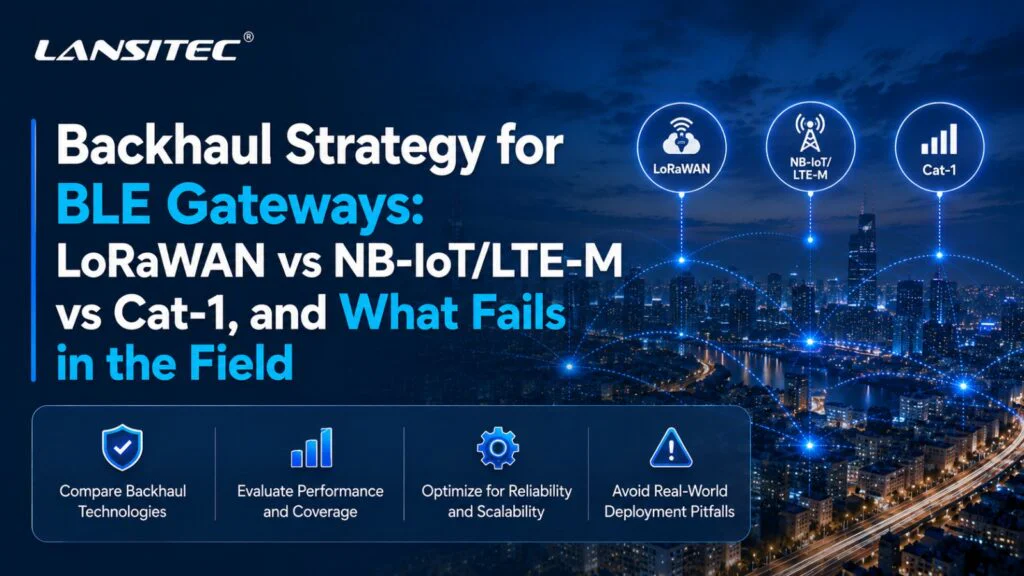
A maioria das comparações de gateways BLE começa com linhas bem definidas: alcance, largura de banda, consumo de energia e custo.
Mas as implantações em campo raramente falham porque alguém interpretou mal uma tabela em um folheto informativo. Elas falham porque o gateway realiza varreduras com muita frequência. Ou porque uma pequena carga útil BLE resultou em 15 registros de beacons por uplink. Ou porque o sinal celular parecia bom em um telefone, mas apresentou falhas dentro de uma caixa metálica. Ou porque o cliente esperava alarmes em tempo real de um perfil de energia projetado para medição em modo de espera.
Essa é a maneira mais útil de comparar o backhaul do gateway BLE. A pergunta que devemos fazer, em vez de "qual rádio é o melhor?", é: Qual rota de backhaul apresenta a menor taxa de falha quando o site fica instável?
Na Lansitec, essa questão é importante porque Gateways Bluetooth Eles se situam na complexa interseção entre a coleta local de BLE e a conectividade de longa distância. Um beacon BLE pode anunciar UUID, major, minor, RSSI, Dados de sensores, eventos de pânico, temperatura, movimento e muito mais. O gateway precisa então decidir o que encaminhar, com que frequência e em qual rede transmitir.
A Lansitec oferece suporte a isso por meio de diversas famílias de backhaul: LoRaWAN, NB-IoT/LTE-M e Cat-1. A escolha certa depende menos da teoria de rádio e mais da realidade da instalação.
Vamos falar sobre o que realmente quebra.
Primeiro, o que o gateway BLE realmente faz?
Em uma implantação no estilo B-Mobile, Beacons Bluetooth são fixados a bens ou usados por pessoas. Gateway Bluetooth O dispositivo fica em um local fixo, recebe as mensagens dos beacons próximos, reestrutura os dados e os encaminha por meio de uma rede de backhaul para o servidor ou aplicativo. (No caso da Lansitec) LoRaWAN Arquitetura B-Mobile, que significa BLE para gateway, gateway para LoRaWAN gateway, e em seguida, via 4G ou Ethernet, para o servidor de rede e aplicativo.
Na versão NB-IoT/LTE-M, o gateway ignora a configuração local. LoRaWAN infraestrutura e encaminha os dados BLE reestruturados diretamente através da rede celular da operadora para um servidor MQTT ou HTTP.
O gateway precisa equilibrar cinco aspectos:
- janela de varredura BLE
- Intervalo de relatório de backhaul
- Tamanho da carga útil
- Orçamento de energia
- Recuperação de interrupção
Se um ponto estiver errado, o sistema ainda pode funcionar na demonstração. O problema é que ele se torna caro, lento, barulhento ou exige muita manutenção após a implementação.
Modo de falha 1: O orçamento de energia foi calculado para o rádio, não para a tarefa.
A potência de transmissão (backhaul) não depende apenas do módulo de rádio.
É todo o ritmo do gateway: despertar, escanear BLE, filtrar dados, transmitir, aguardar confirmação quando aplicável, tentar novamente se necessário e voltar a dormir. Um gateway que escaneia continuamente e reporta com frequência está realizando duas tarefas dispendiosas simultaneamente.
É aí que muitos projetos dão errado.
LoRaWAN: forte quando os relatórios são pequenos e disciplinados.
LoRaWAN É notoriamente econômico, mas apenas quando se respeita o modelo de carga útil e tempo de transmissão. Funciona bem quando o gateway envia eventos compactos: ID do beacon, RSSI, ID do gateway, carimbo de data/hora e bytes do sensor selecionado.
da Lansitec LoRaWAN Macro Gateway Bluetooth É um bom exemplo da filosofia de design que prioriza a bateria. Utiliza duas baterias Li-SoCl2 de 19.000 mAh e lista 83 meses de operação com intervalo de reporte de 5 minutos. A mesma família de produtos suporta filtragem configurável de payload Bluetooth, para que o gateway não precise encaminhar todos os bytes recebidos.
Esse é o objetivo. LoRaWAN O sistema apresenta melhor desempenho quando se comporta como um sistema de registro de eventos, e não como um sistema de transmissão de pacotes BLE puro.
NB-IoT/LTE-M: baixo consumo de energia, mas o comportamento do operador é importante.
NB-IoT e LTE-M são projetados para IoT celular, mas não se comportam da mesma maneira.
O NB-IoT é mais indicado para dispositivos estáticos, cargas úteis pequenas, longos períodos de inatividade e ampla cobertura em ambientes internos. O LTE-M é melhor quando o dispositivo está em movimento, requer uma conexão de downlink mais responsiva ou precisa suportar atualizações práticas de firmware. As diretrizes da GSMA para IoT Móvel posicionam o NB-IoT e o LTE-M como tecnologias LPWA complementares, com o LTE-M geralmente mais adequado para mobilidade e casos de uso mais interativos, enquanto o NB-IoT é normalmente usado para mensagens pequenas, pouco frequentes e com ampla cobertura. (1)
O problema é que a potência da rede celular é fortemente afetada pela qualidade do sinal. Um roteador em uma área com cobertura ruim pode gastar mais energia conectando-se, tentando se reconectar ou mantendo o modem ativo. No papel, o modelo com bateria parece bom. Na prática, não funciona tão bem.
Já vimos clientes presumirem que a tecnologia celular é sinônimo de previsibilidade. Não é. Ela é sinônimo de conectividade com espectro licenciado e respaldado pela operadora, o que é diferente.
Cat-1: não é LPWAN, mas às vezes é operacionalmente mais limpo.
Cat-1 não é a opção de menor consumo de energia. Sejamos honestos quanto a isso.
Mas possui uma vantagem diferente: comporta-se mais como o LTE convencional. Oferece maior capacidade de carga útil, menor latência, comunicação IP mais fácil e fluxos de trabalho de firmware ou configuração mais tolerantes. A Quectel posiciona o LTE Cat-1 bis como um meio-termo entre o LPWA e as categorias LTE superiores, com maior mobilidade, menor latência e mais largura de banda do que o NB-IoT/LTE-M, evitando a complexidade dos módulos LTE de categorias superiores. (2)
Para BLE portais, Isso pode ser útil. Não porque a Cat-1 seja magicamente eficiente, mas porque uma sessão curta e bem-sucedida pode ser melhor do que uma sessão lenta e instável quando o aplicativo é muito comunicativo.
da Lansitec Gateway Bluetooth Macro Cat-1 Mostra como isso se apresenta em um produto gateway: backhaul Cat-1, filtragem BLE, compressão de dados Bluetooth e uma lista de recursos. Duração da bateria de 5 anos com 5 segundos de uso Recepção Bluetooth duração e intervalo de relatório de 240 segundos.
Esse número só faz sentido porque o gateway não está tratando a Cat-1 como uma conexão contínua. Ele ainda utiliza protocolos de roteamento, filtragem e relatórios.
Regra de campo
- Se o gateway estiver realizando varreduras constantes, relate os resultados com moderação.
- Se o sistema reportar dados com frequência, faça uma varredura inteligente.
- Se o sistema realizar ambas as ações de forma agressiva, a bateria passa a ser o componente que requer manutenção programada.
Modo de falha 2: A cobertura foi tratada como um mapa, e não como um comportamento do site.
Mapas de cobertura são reconfortantes. Prédios, não.
Um telefone mostrando barras de sinal não significa que houve um levantamento de cobertura celular. LoRaWAN A alegação de alcance não é uma LoRaWAN Levantamento do local. A exigência de "linha de visão de 150 m" para BLE não significa 150 m através de prateleiras, concreto, paredes úmidas, máquinas, pessoas e caminhões estacionados.
A decisão sobre o transporte de retorno torna-se concreta em três locais: porões, docas de carga e salas de metal.
A cobertura LoRaWAN é controlável, mas você precisa planejá-la.
A grande vantagem de LoRaWAN é o controle. Se o cliente for o proprietário do site, você pode colocar o LoRaWAN Posicione o gateway onde ele deve estar, ajuste a implantação e mantenha os custos recorrentes de rede baixos.
Isso funciona perfeitamente em fábricas, armazéns, campi universitários e estacionamentos. Uma implementação do Lansitec B-Mobile LoRa pode usar Gateways Bluetooth na área de trabalho, e então encaminhar seus relatórios BLE através de um LoRaWAN Gateway conectado por 4G ou Ethernet.
As diretrizes de implantação da Lansitec recomendam a colocação do LoRaWAN O portal de entrada deve ser instalado no topo de um edifício, quando possível, ou em uma posição interna elevada, no caso de uma única fábrica. Observa-se também que... LoRaWAN O próprio gateway requer 4G ou Ethernet e sugere iniciar projetos 4G com um plano de dados de 2 GB, já que o uso do SIM varia de acordo com o projeto.
Uma implementação de gateway LoRaWAN BLE ainda possui duas camadas de rede:
| Camada | O que pode falhar |
| BLE para Gateway Bluetooth | Paredes, quartos, RSSI sangramento, tempo de varredura |
| Gateway Bluetooth para LoRaWAN portal | Cobertura LoRa, fator de espalhamento, capacidade, posicionamento do gateway |
| LoRaWAN portal para a nuvem | Falha na conexão Ethernet, falha na conexão 4G, plano SIM, caminho do servidor de rede |
A cobertura NB-IoT/LTE-M é mais simples de implementar, porém mais difícil de controlar.
NB-IoT/LTE-M remove a propriedade do site LoRaWAN portal. Isso é atraente. Não. LoRaWAN Planejamento de entrada. Sem local LoRaWAN Decisão do servidor. Nenhum cliente perguntou onde montar a antena.
A contrapartida é a dependência.
Se a operadora tiver uma cobertura NB-IoT ou LTE-M robusta exatamente no local do gateway, excelente. Caso contrário, suas opções são mais limitadas. Você pode melhorar o posicionamento da antena, selecionar um perfil de SIM mais adequado, usar estratégias de eSIM/eUICC ou trocar de operadora. Mas você não controla a estação base.
O NB-IoT também tende a ser uma opção ruim para dispositivos em movimento ou interações rápidas. A própria Lansitec... LoRaWAN A comparação entre NB-IoT e NB-IoT observa que o NB-IoT não é apropriado para dispositivos móveis, enquanto LoRaWAN Suporta mobilidade e taxas de dados adaptáveis.
A cobertura da categoria 1 é ampla, mas a potência e o custo devem ser intencionais.
A categoria 1 utiliza a infraestrutura LTE já consolidada. Isso geralmente facilita implantações mistas ou temporárias, especialmente em locais onde a disponibilidade de LTE-M ou NB-IoT é irregular.
É também mais tolerante a fluxos de trabalho MQTT, HTTP(S), TCP e UDP. Em um edifício onde a equipe de TI não concede acesso Ethernet ou onde o Wi-Fi não é permitido para dispositivos IoT, o Cat-1 pode ser a solução prática mais simples.
A questão em campo não é "o cabo Cat-1 conecta?". Geralmente conecta. A questão é: O projeto consegue arcar com o consumo de energia e o comportamento de dados que a categoria 1 incentiva? Se a resposta for sim, é uma opção bastante viável.
Modo de falha 3: As restrições de carga útil foram ignoradas até que o painel parecesse vazio.
O BLE pode gerar uma grande quantidade de dados locais.
Um gateway pode ouvir dezenas de faróis. Cada beacon pode anunciar vários identificadores ou campos de sensores. A equipe de desenvolvimento então pergunta: "Podemos simplesmente encaminhar tudo?"“
Normalmente, não.
Ou pelo menos, não se o backhaul for LoRaWAN e o projeto prevê uma longa duração da bateria.
LoRaWAN O tamanho da carga útil depende da região e da taxa de dados. Na banda EU863-870, a documentação da The Things Network lista tamanhos máximos de carga útil de aplicativos de 51 bytes em DR0 a DR2, 115 bytes em DR3 e 222 bytes em DR4 a DR7. Também menciona a recomendação de ciclo de trabalho 1% na banda europeia. (3)
A LoRa Alliance mantém essas restrições regionais separadamente do núcleo. LoRaWAN especificação, com RP002-1.0.5 publicada em 8 de outubro de 2025. (4)
É por isso que a filtragem é importante.
da Lansitec LoRaWAN Gateways Bluetooth O gateway inclui repetidamente filtragem de dados Bluetooth configurável e relatórios de carga útil. Ele pode filtrar bytes de dados específicos de uma carga útil BLE e encaminhar apenas as informações úteis. LoRaWAN. O Sistema Solar e Macro LoRaWAN Gateway Bluetooth as especificações também listam 105 máx. faróis apoiado e um máximo de 15 mensagens beacon em uma LoRaWAN pacote em SF9.
Uma estratégia de backhaul para um gateway BLE deve definir os níveis de carga útil:
| Camada de carga útil | Conteúdo de exemplo | Melhor ajuste de retorno |
|---|---|---|
| Presença mínima | ID do beacon, ID do gateway, RSSI | LoRaWAN, NB-IoT |
| Sensor Event Plus | Identificação do farol, RSSI, temperatura, movimento, bit de alarme | LoRaWAN com filtragem, LTE-M |
| Relatório de portal detalhado | Vários registros de beacons, diagnósticos, bateria, registros de data e hora | LTE-M, Cat-1 |
| Carga útil de manutenção | Registros, fragmentos de firmware, diagnósticos estendidos | LTE-M, Cat-1 |
O pior design é aquele vago: “Enviar dados do beacon”.”
Quais dados do beacon? Cada pacote? Cada ID único por intervalo? Cada RSSI amostra? Média RSSI? Primeira vez visto e última vez visto? Top 3 mais fortes faróisApenas eventos de alarme?
Essas decisões moldam tudo e devem ser tomadas antes da instalação.
Modo de Falha 4: O comportamento de indisponibilidade não foi projetado, apenas esperado.
Toda rede falha. O interessante é como ela falha.
interrupções do LoRaWAN
Em um LoRaWAN Na arquitetura de gateway BLE, a coleta BLE local ainda pode ocorrer mesmo se o LoRaWAN O backhaul de internet do gateway está com problemas. Mas o aplicativo pode não receber dados atualizados até que a conexão com o gateway seja restabelecida.
Se o problema for o RF LoRa, mova o LoRaWAN Um gateway ou um melhor posicionamento da antena podem ajudar. Se o problema for o LoRaWAN backhaul 4G do gateway, depois o BLE portais Pode estar tudo bem, e o gargalo seja a ligação entre o gateway e a nuvem.
Essa distinção é importante. Sem diagnóstico, ambos os casos parecem indicar que o gateway está offline.
Interrupções de NB-IoT/LTE-M
As interrupções no NB-IoT e no LTE-M geralmente ocorrem no lado do sinal, no lado da operadora, no lado do SIM ou no lado do perfil de energia.
O NB-IoT pode ser muito bom para relatórios com tolerância a atrasos. No entanto, é menos adequado quando a aplicação espera uma resposta imediata na rede. O LTE-M geralmente é a opção LPWA celular mais segura para movimentação de ativos, alarmes e atualizações de firmware, pois oferece maior mobilidade e uma resposta mais rápida na rede. (1)
Interrupções de categoria 1
A Cat-1 geralmente se recupera de uma maneira mais familiar para LTE/IP. Isso ajuda quando o gateway precisa enviar lotes em buffer, reconectar-se ao MQTT ou receber alterações de configuração rapidamente.
Mas também pode criar um problema de comportamento de manada ensurdecedor.
Imagine 300 portais Após uma queda de energia no local, a energia retorna. Cada gateway é ativado, se conecta, se reconecta, verifica a configuração, carrega um backlog e solicita sincronização de horário. Se o firmware não usar backoff aleatório, a recuperação se torna uma segunda interrupção.
Regra de campo
Planeje o comportamento em caso de interrupção antes que ela ocorra.
Um gateway BLE útil deve saber como:
- Armazene os eventos selecionados localmente.
- Tente novamente com recuo, não entre em pânico.
- Relatar por que houve dificuldades, e não apenas dizer que houve dificuldades.
- Evite ativar todos os dispositivos ao mesmo tempo após a recuperação de energia.
Qual backhaul é mais adequado para qual implantação?
Agora podemos fazer a comparação sem fingir que todos os projetos são iguais.
1. Somente com bateria para ambientes internos
Melhor opção: LoRaWAN Macro ou Micro Gateway Bluetooth
Possível ajuste: Gateway macro NB-IoT/LTE-M, caso a cobertura da operadora seja comprovada.
Use a categoria 1 quando: As cargas úteis são mais ricas, a qualidade do downlink é importante ou o intervalo de reporte não é ultra-agressivo.
Implantações internas que utilizam apenas baterias são implacáveis, pois os técnicos detestam trocar as baterias dos gateways em ambientes internos quase tanto quanto detestam fazê-lo em ambientes externos. Montagens no teto, colunas de armazéns, salas restritas e áreas de produção aumentam as dificuldades.
LoRaWAN é a primeira escolha natural se o site suportar um servidor privado ou gerenciado. LoRaWAN Portal. Macro da Lansitec Gateway Bluetooth É projetado para uso interno ou semi-externo onde não há disponibilidade de energia externa, com bateria de 38.000 mAh, classificação IP66, intervalos ajustáveis e Filtragem de carga útil BLE.
NB-IoT/LTE-M faz sentido quando o cliente não quer LoRaWAN infraestrutura. Mas não escolha a localização com base em um mapa de cobertura. Teste as posições reais do gateway, especialmente se o dispositivo estiver perto de elevadores, estantes de aço, paredes reforçadas, áreas subterrâneas ou salas elétricas.
O Cat-1 pode funcionar, especialmente com baterias grandes e relatórios moderados. No entanto, se o objetivo for apenas indicar "visto pela última vez na Sala A", o Cat-1 provavelmente oferece mais recursos de rádio do que o necessário.
Nossa opinião: Para presença interna alimentada apenas por bateria, comece com LoRaWAN a menos que a propriedade do site ou a cobertura da operadora o obriguem a procurar outro local.
2. Energia Solar Externa
Melhor opção: LoRaWAN Solar Gateway Bluetooth para sites privados
Possível ajuste: NB-IoT/LTE-M ou Gateway Bluetooth Solar Cat-1 onde a cobertura celular é estável
Principal risco: Autonomia em dias de chuva mais comportamento de repetição
A energia solar externa parece fácil de usar até o tempo mudar.
da Lansitec LoRaWAN Solar Gateway Bluetooth usa um Painel solar de 3 W e um Bateria recarregável de 5300 mAh. O catálogo de produtos lista os itens. um mês de dias chuvosos consecutivos com recepção contínua via Bluetooth e 60 segundos LoRaWAN intervalo de relatório. Também suporta filtragem de carga útil Bluetooth, TDMA e compressão de dados.
Esse é um perfil bastante voltado para atividades ao ar livre.
Mas as instalações de energia solar falham quando as equipes superestimam a recuperação. Um gateway pode sobreviver a vários dias nublados, mas se também tentar se reconectar agressivamente em áreas com cobertura ruim, enviar relatórios com muita frequência ou ficar em modo de escuta contínua quando não for necessário, a margem de segurança diminui.
Energia solar celular portais são úteis quando LoRaWAN A infraestrutura não está disponível. A Cat-1 pode ser especialmente conveniente para terrenos remotos, armazenamento ao ar livre, pátios de equipamentos e locais temporários onde o cliente deseja conectividade direta com a nuvem.
Nossa opinião: A instalação de painéis solares externos não se resume apenas ao tamanho dos painéis. Trata-se também da disciplina na elaboração de relatórios após condições climáticas adversas.
3. Edifício com fornecimento contínuo de energia
Melhor opção: LoRaWAN Interno, SocketSync, NB-IoT/LTE-M Interno ou Cat-1 Compacto, dependendo do acesso de TI.
Principal risco: Não o poder, mas a política de redes.
Edifícios com fornecimento contínuo de energia alteram a decisão.
Se houver energia disponível, a discussão sobre a conexão de retorno muda do foco da duração da bateria para as dificuldades de implementação. É possível usar Ethernet? O Wi-Fi é permitido? A equipe de TI aprovará o envio de dados via MQTT? É possível configurar um... LoRaWAN Gateway no telhado? Os SIMs são mais fáceis de usar do que os tickets de VLAN?
Em espaços interiores com energia elétrica, LoRaWAN Continua sendo atraente quando o site pode suportar um gateway local. Da Lansitec. LoRaWAN Gateway Bluetooth interno Suporta alimentação de 5V/1A e pode receber 100 mensagens de sinalização em 1 segundo, com um máximo de 15 mensagens de sinalização enviadas em um pacote.
NB-IoT/LTE-M ou Cat-1 podem ser opções mais limpas quando a rede do edifício é restrita. Hospitais, shoppings, centros de logística e grupos varejistas geralmente preferem a tecnologia celular simplesmente porque ela dispensa a necessidade de aprovações internas de rede.
Nossa opinião: Em edifícios com energia elétrica, escolha a conexão de retorno que o cliente realmente consiga manter, e não aquela que parece mais barata em termos de hardware.
4. Eventos temporários, frotas de aluguel e locais temporários
Melhor opção: Cat-1 Compacto ou NB-IoT/LTE-M Compacto
Possível ajuste: LoRaWAN Compacto se LoRaWAN já existe cobertura
Principal risco: tempo de configuração e comportamento de recuperação
Implantações temporárias penalizam escolhas que exigem muita infraestrutura.
Se um cliente precisa de cobertura BLE para um evento de fim de semana, uma área de locação, um depósito temporário, uma feira comercial ou uma estação temporária para equipamentos médicos, a conexão celular direta geralmente é a melhor opção. O Cat-1 é particularmente útil quando o gateway precisa entrar em operação rapidamente, enviar dados mais complexos e suportar fluxos de trabalho IP padrão.
LoRaWAN O formato Compacto ainda pode ser a melhor opção se o site já tiver LoRaWAN cobertura. Caso contrário, implantar um LoRaWAN Um gateway apenas para suportar um evento de dois dias pode ser um exagero.
Nossa opinião: Para sites temporários, priorize a certeza da configuração. Um custo de dados ligeiramente maior costuma ser mais barato do que uma segunda visita ao local.
Uma matriz de seleção prática
| Cenário de implantação | LoRaWAN | NB-IoT/LTE-M | Cat-1 |
| Funcionamento somente com bateria para ambientes internos | Ajuste ideal quando LoRaWAN infraestrutura é possível | Bom se a cobertura for testada e as cargas úteis forem pequenas. | Use com cuidado, melhor com bateria maior ou relatório moderado. |
| Energia solar externa | Excelente para sites privados e com baixo custo recorrente. | Bom onde a cobertura celular é confiável. | Robusto para cargas úteis mais ricas e conectividade direta com a nuvem. |
| Edifício com energia permanente | Forte se LoRaWAN É permitida a colocação de portais | Bom se o acesso à rede do prédio estiver bloqueado. | Forte se o comportamento do IP, MQTT/HTTP(S) e capacidade de resposta forem importantes. |
| Portão móvel | Depende de LoRaWAN layout de cobertura | LTE-M é melhor que NB-IoT | Ajuste perfeito |
| Alto volume de carga útil | Necessita de filtragem e compressão. | Melhor que LoRaWAN, ainda dependente do perfil | Ajuste perfeito |
| Atualizações de firmware | Funciona para BLE no lado do gateway. FOTA fluxos de trabalho, mas a estratégia de carga útil importa. | LTE-M é melhor que NB-IoT | O mais fácil dos três. |
| Custo de conectividade recorrente mais baixo | Geralmente mais forte | Custo do SIM necessário | Custo do SIM e plano de dados necessários |
O que registraríamos antes de culpar o rádio
Eis uma lição aprendida com muito esforço: "offline" não é um diagnóstico.
Um gateway pode falhar devido à varredura BLE, compactação de dados, qualidade do sinal, tempo de conexão do backhaul, rejeição do servidor, limites do plano SIM, quedas de energia ou um loop de repetição malsucedido. Sem os registros corretos, cada um desses problemas se torna um problema de conectividade.
Para projetos de gateways BLE, registraríamos pelo menos o seguinte:
| Item de registro | Por que isso importa |
| Duração e intervalo da varredura BLE | Separa “sinalizador perdido” de “enlace ascendente perdido” |
| Contagem de beacons por relatório | Mostra quando a compactação da carga útil se torna um problema. |
| Tamanho da carga útil | Expõe LoRaWAN pressão do tempo de uso ou aumento indevido de dados móveis |
| RSSI/SNR/SF para LoRaWAN | Auxilia no diagnóstico de cobertura, capacidade e comportamento do fator de disseminação. |
| RSRP/RSRQ/SINR para redes celulares | Mostra se o consumo excessivo de energia da rede celular é causado por um sinal fraco. |
| Anexar tempo e contagem de tentativas | Revela problemas no modem e na operadora. |
| Tensão da bateria antes e depois do uplink | Confirma se as falhas estão relacionadas à energia elétrica. |
É aqui que os dashboards sem graça se tornam valiosos. LoRaWAN Um gateway travado no SF12, um gateway LTE-M com longos tempos de conexão e um gateway Cat-1 tentando novamente o MQTT após uma falha no TLS podem parecer semelhantes à distância.
Estratégia de carga útil: o que um gateway BLE deve realmente enviar?
Um bom gateway BLE não encaminha tudo. Ele encaminha apenas o que o aplicativo pode usar. Para a maioria das implementações de rastreamento e presença, comece com quatro tipos de mensagens:
- Atualização de presença
ID do beacon, ID do gateway, RSSI, registro de data e hora, bateria, se disponível. - Atualização do evento
Estado de entrada, saída, pânico, movimento, violação, permanência excessiva ou alarme. - Atualização do sensor
Temperatura, umidade, vibração, estado da porta, contagem de passos ou outros dados selecionados. - Atualização de saúde
Bateria do gateway, qualidade do sinal, versão do firmware, número de relatórios, número de tentativas.
A combinação exata depende da conexão de retorno.
LoRaWAN Deve transportar dados compactos de eventos e estados. O NB-IoT/LTE-M tolera mais contexto de sensores, especialmente quando os relatórios são pouco frequentes. O Cat-1 pode transportar lotes e diagnósticos mais ricos, mas ainda se beneficia de uma filtragem limpa.
Adequação do produto Lansitec por tipo de instalação
| Tipo de instalação | Lansitec ajuste | Por que |
| Funcionamento somente com bateria para ambientes internos | LoRaWAN Macro Gateway Bluetooth | Bateria de grande capacidade de 38.000 mAh, filtragem BLE configurável, longos intervalos de relatório. |
| Pequenas salas internas com energia elétrica | LoRaWAN Gateway Bluetooth interno | Alimentação de 5V/1A, alta capacidade de recepção BLE, instalação compacta. |
| local privado ao ar livre com energia solar | LoRaWAN Solar Gateway Bluetooth | Painel solar de 3W, bateria de 5300 mAh, LoRaWAN backhaul, filtragem de carga útil |
| Energia solar externa sem LoRaWAN | NB-IoT/LTE-M ou Gateway Bluetooth Solar Cat-1 | backhaul de rede de operadora direta |
| Local ou evento temporário | Gateway Bluetooth compacto Cat-1 | Portátil, celular, ideal para configuração rápida. |
| Gateway direto para a nuvem | Família NB-IoT/LTE-M ou Cat-1 | Caminho do servidor MQTT/HTTP sem local LoRaWAN portal |
É aí que a variedade de soluções da Lansitec se mostra útil. Não precisamos impor um único tipo de backhaul em todas as instalações. Um estacionamento, um corredor de hospital, um pátio de mineração e um evento temporário não exigem a mesma solução.
Recomendação final: escolha o modo de falha que você consegue gerenciar.
LoRaWAN, NB-IoT/LTE-M e Cat-1 podem funcionar como backhaul para gateways BLE. Apenas apresentam falhas de maneiras diferentes.
LoRaWAN A solução falha quando as equipes ignoram o tempo de transmissão, o tamanho da carga útil, o fator de espalhamento ou o posicionamento do gateway. Mas, quando o site é bem planejado, oferece excelente duração da bateria, controle preciso e baixos custos recorrentes de conectividade.
O NB-IoT/LTE-M falha quando a cobertura da operadora, o roaming, a latência e o comportamento do downlink são assumidos em vez de testados. Mas é muito útil quando os clientes desejam backhaul celular direto sem precisar implantar infraestrutura própria. LoRaWAN infraestrutura.
A Cat-1 falha quando as equipes a tratam como LPWAN. Mas para payloads mais complexos, o mobile portais, Com configuração rápida, fluxos de trabalho IP diretos e recuperação ágil, pode ser a opção mais simples.
Assim, a regra prática é simples: Escolha o backhaul que você consegue operar em condições adversas, não aquele que parece melhor em condições perfeitas.
Uma boa implementação de um gateway BLE torna-se entediante após a instalação. O gateway realiza varreduras quando necessário, filtra o que recebe, reporta o que importa, tenta novamente de forma educada e fornece à plataforma diagnósticos suficientes para corrigir problemas antes que alguém precise subir em uma escada.
Perguntas frequentes
Sobre a estratégia de backhaul para gateways BLE
Não. LoRaWAN é geralmente o melhor ponto de partida para BLE alimentado por bateria. portais Porque lida bem com relatórios pequenos, filtrados e periódicos. Mas o LTE-M ou Cat-1 podem ser melhores se o gateway precisar de payloads mais robustos, velocidades de downlink mais rápidas ou atualizações de firmware mais fáceis.
Quando devo optar por NB-IoT em vez de LTE-M?
Escolha NB-IoT para estático portais ou sensores que enviam cargas úteis pequenas e pouco frequentes e não precisam de uma conexão de download rápida. Escolha LTE-M quando precisar de mobilidade, alarmes, atualizações de configuração ou FOTA questão. O NB-IoT pode ser excelente, mas não é a resposta celular universal. (1)
Será que um cabo Cat-1 é exagero para BLE? portais?
Às vezes. Se a aplicação precisar apenas de relatórios de presença ocasionais, a Categoria 1 pode ser mais do que suficiente. Mas se o gateway enviar lotes BLE mais complexos, precisar de MQTT/HTTP(S), se deslocar entre locais ou tiver que se recuperar rapidamente após interrupções, a Categoria 1 pode ser a escolha mais prática.
Por que a Lansitec enfatiza a filtragem de dados Bluetooth?
Como o BLE pode gerar mais dados locais do que o backhaul LPWAN deveria suportar, a filtragem permite que o gateway encaminhe apenas os campos úteis, como o ID., RSSI, estado do evento e bytes de sensores selecionados. Isso protege o tempo de transmissão, a duração da bateria e o custo de processamento na nuvem.
Qual é o erro mais comum no planejamento do backhaul de um gateway BLE?
Partindo do pressuposto de que cobertura equivale a confiabilidade, um gateway pode se conectar, mas ainda apresentar desempenho ruim porque as cargas úteis são muito grandes, as janelas de varredura são muito agressivas, as tentativas são muito frequentes ou o sinal é fraco o suficiente para descarregar a bateria com o tempo.
Referências e leitura complementar:


 English
  ไทย
ไทย  한국어
한국어  Français
  Deutsch
  Español
  日本語
日本語  العربية
  Italiano
  Português